


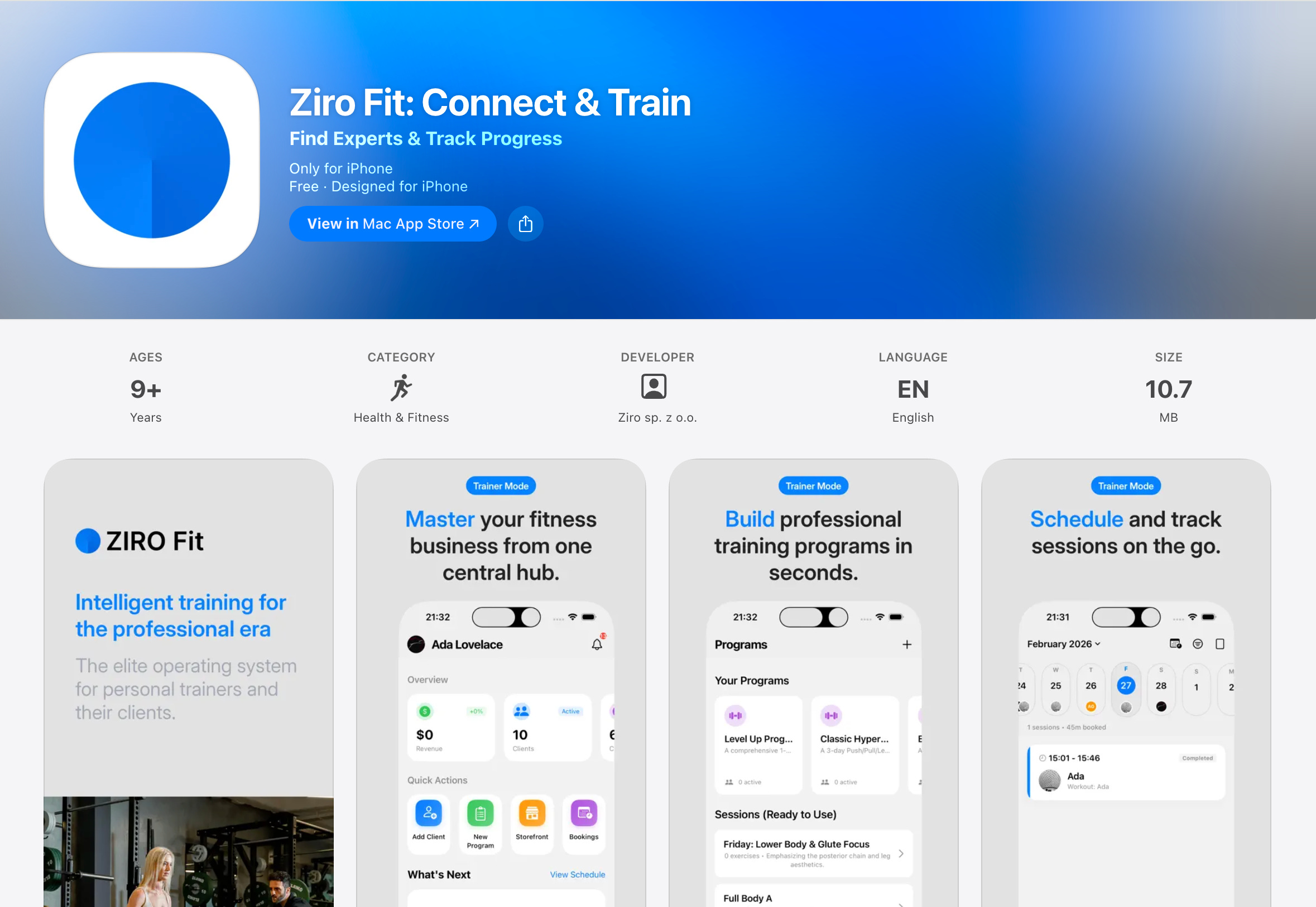
For past few months I have been working on the iOS application for Ziro Fit. This application is a natural extension to the overall web application we have https://ziro.fit/en. In the web version, we had a functionality for marketplace where you can find and filter trainers. It was more focused on client overall. In this case client refers to people who are looking for personal trainers nearby them. As a marketplace, It lets clients find trainers by goals and locations. And trainers had a dashboard, online profile features, booking calendar and more.
After collecting a lot of feedback on how a trainer would like to use an application. We decided to go forward with native iOS application. We could integrate faster animations, real-time haptic feedback, connection with apple health and superior usability.
Web Challenges Overcome
With web version, we had major issue of user experience. The web application was getting over crowded and faced with clunky navigation.
Progressive Web Apps can’t match the native iOS experience.
Cross-platform frameworks were considered but rejected; they often demand near-native effort yet deliver compromises in polish, speed, and native feature depth.
The application focused on calendar/schedule management, exercise templates, a home dashboard, clients list and live workout. Out of which live workout was one of the most important screen. It had exercise logging features. Where personal trainer will spend quite a lot of time. These exercise login features involved selecting of exercises, filling correct data like reps and sets, having rest.
App has two different modes. One is professional mode which is for fitness trainers and other is personal mode which is for clients. Based on the login account, the app detects the respective interface to show.
Trainers see business metrics like earnings and calendars, while clients access workout logging and trainer discovery.
Trainer Mode: Professional Tools for Pros
Let’s look at some of the screens for personal trainers.
Professional Mode> Home
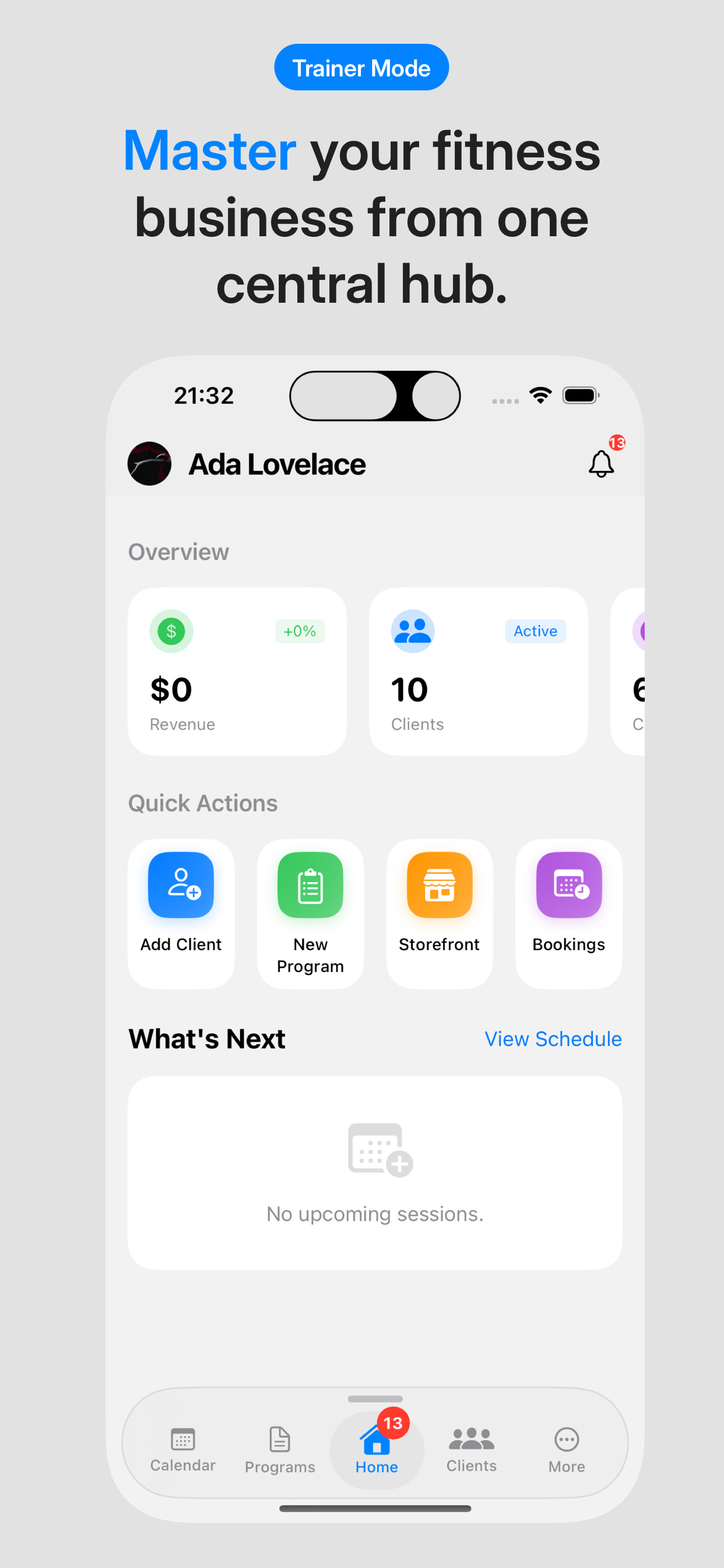
The professional dashboard is designed with business in mind. In this home screen, trainer can see how much money they are making, how many clients they have, how many check-ins they have and how many bookings they have. Here check and refers to status update from existing clients. Client can report on progress of workout , metric like weight or reps and adherence to the plan designed by trainers. Clients can tell how good they slept, how was their nutrition, and overall how active they were.
There are quick few actions for trainers. They can add a new client, can design a new program, set up the storefront, and manage their booking calendar.
Professional Mode> Programs
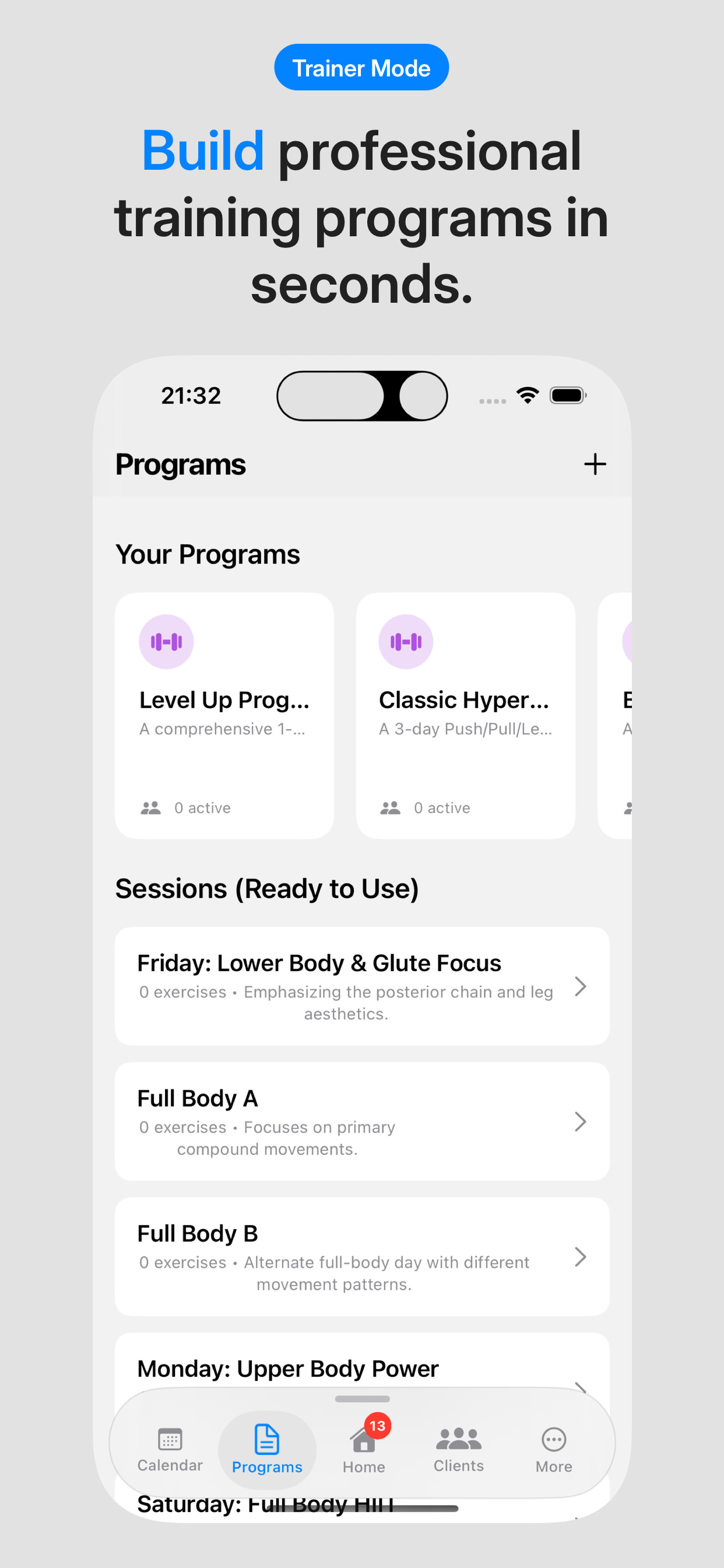
The program screen is designed for building templates of exercises. It offers tools to build exercise sessions for their clients. The trainers can design session by session, exercise plans for the client. They can sequence exercises, set reps/sets and save reusable templates for efficiency. And you use these templates later for other clients too.
Professional Mode> Calendar
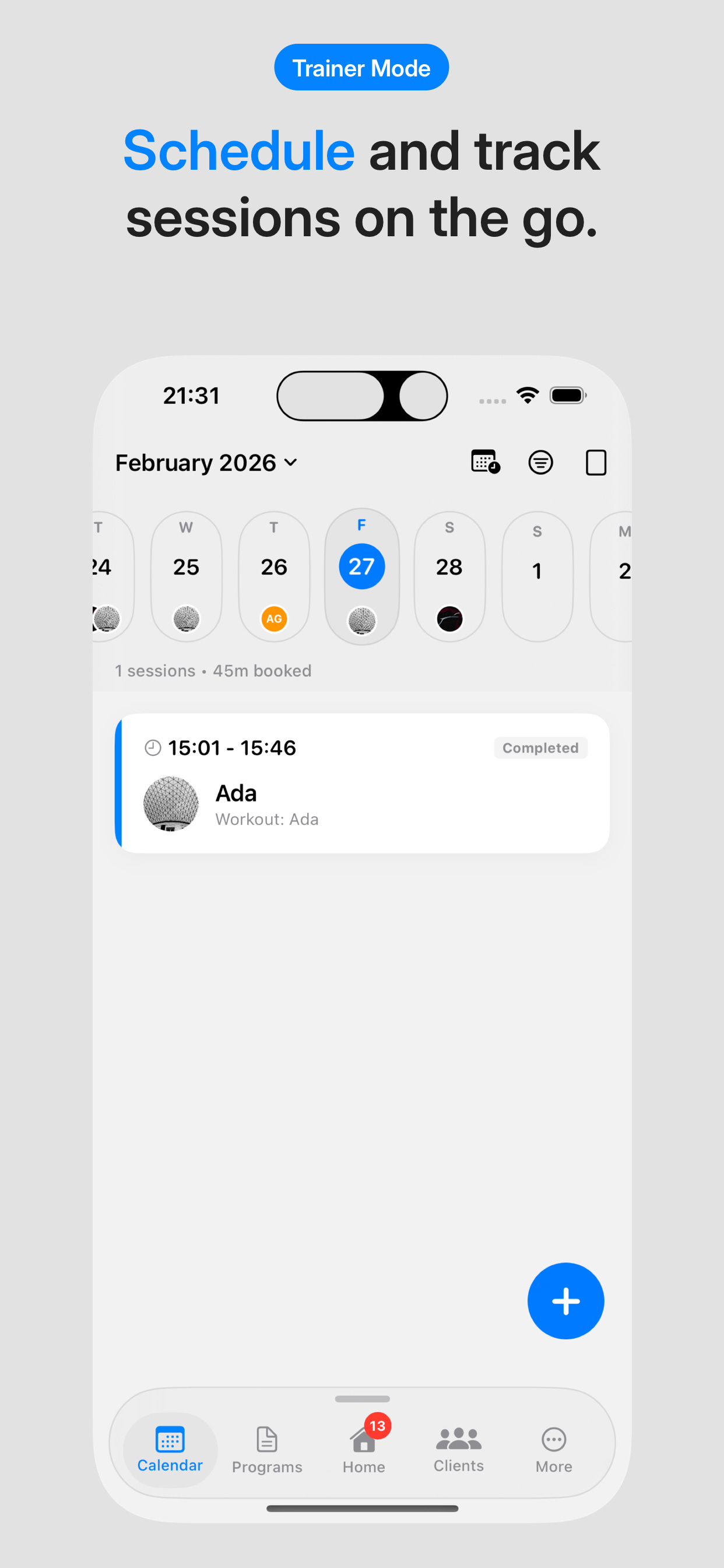
The calendar screen enables scheduling and real-time live session of clients. One of the main view is calendar stripe view where they can tap On the date to load that day’s exercise sessions and client cards. They can see whether that session is ongoing, completed or planned. Completed session appear with green badge. Tapping on the card reveals the full workout history including the exercise performed, rep/sets logged or any notes or metrics from that session. The design also provides quick access to the past performance data for reviewing clients progress or any follow ups. On tapping the plus button, the trainer can schedule a new session. They can set a date, set the exercises sets need to perform.
Professional Mode> Client Screen
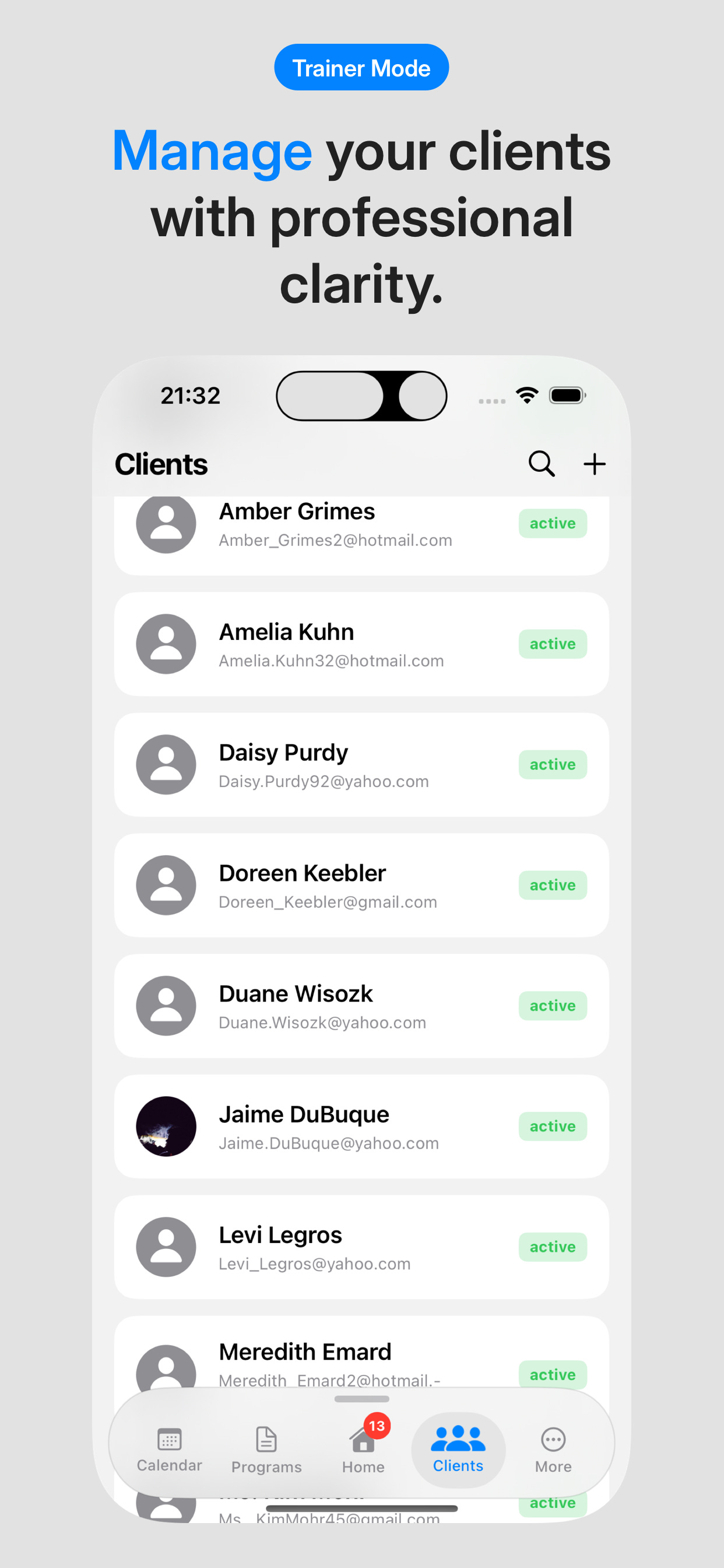
The client screen provides the professional overview to manage the clients. It is list of clients arranged in alphabetical manner. Clicking on the client card reveals the previous and upcoming sessions, the growth and progress of the client.
Client Mode: Precision and Discovery
Coming to the personal mode. It focuses on interfaces for logging, discovery and motivation for the client.
Personal Mode> Home
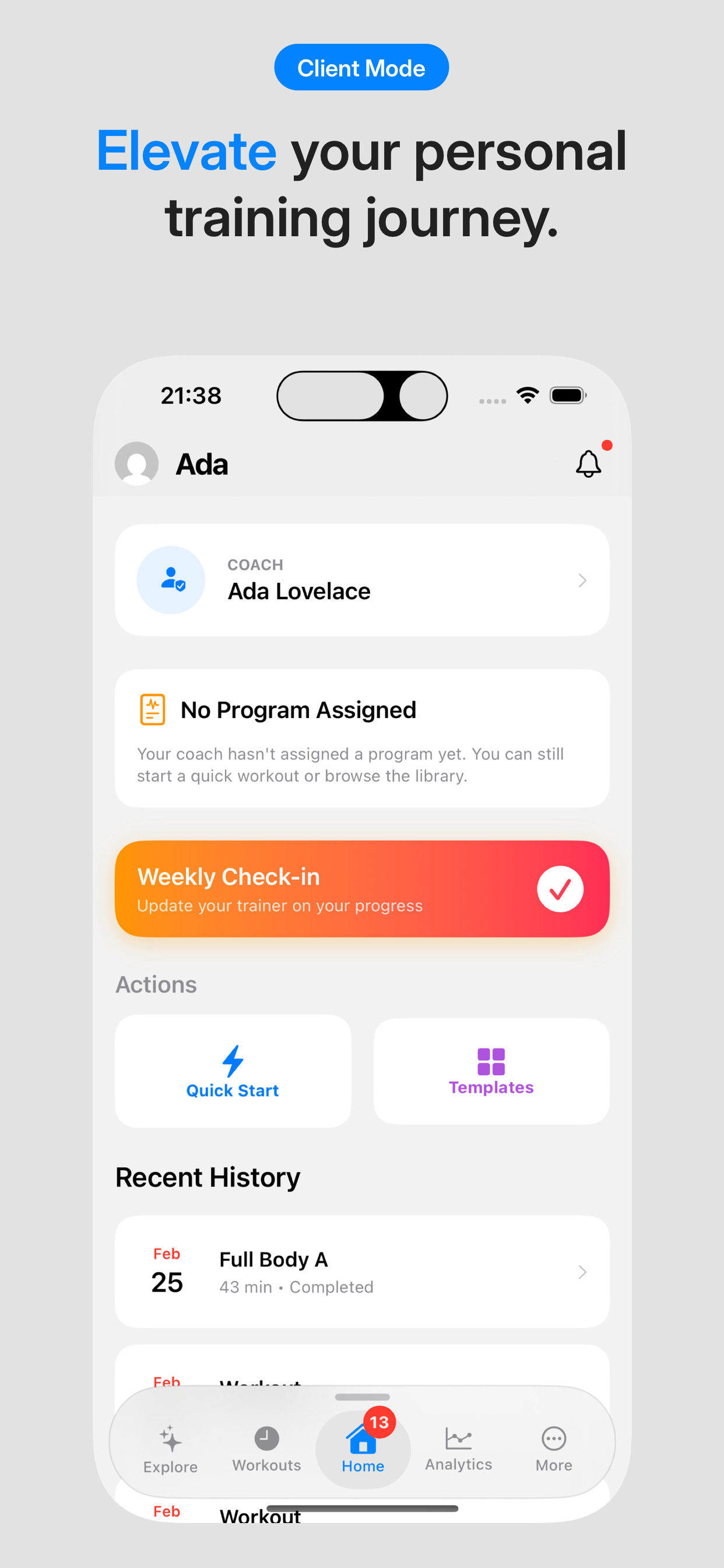
It let clients elevate their fitness journey with coach trainer, their program status, weekly check ins, quick start of a workout and recent workouts.
Personal Mode> Explore
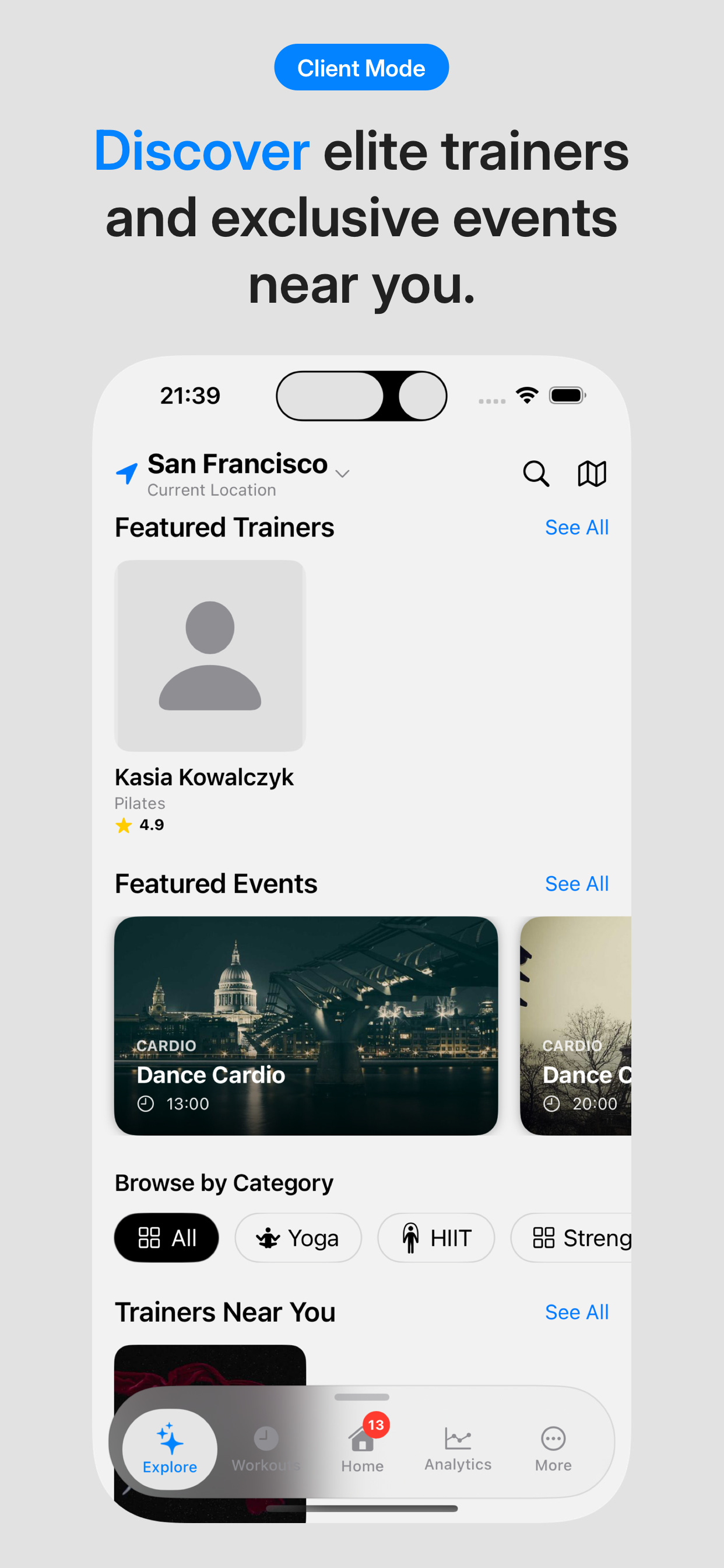
The explorer screen serves as a trainer discovery hub where clients can uncover elite trainers and exclusive fitness events. They can browse and filter the trainers based on their ratings, location and categories. For events clients can see how many people are attending, proximity and details of the plan.
Personal Mode> Live Session
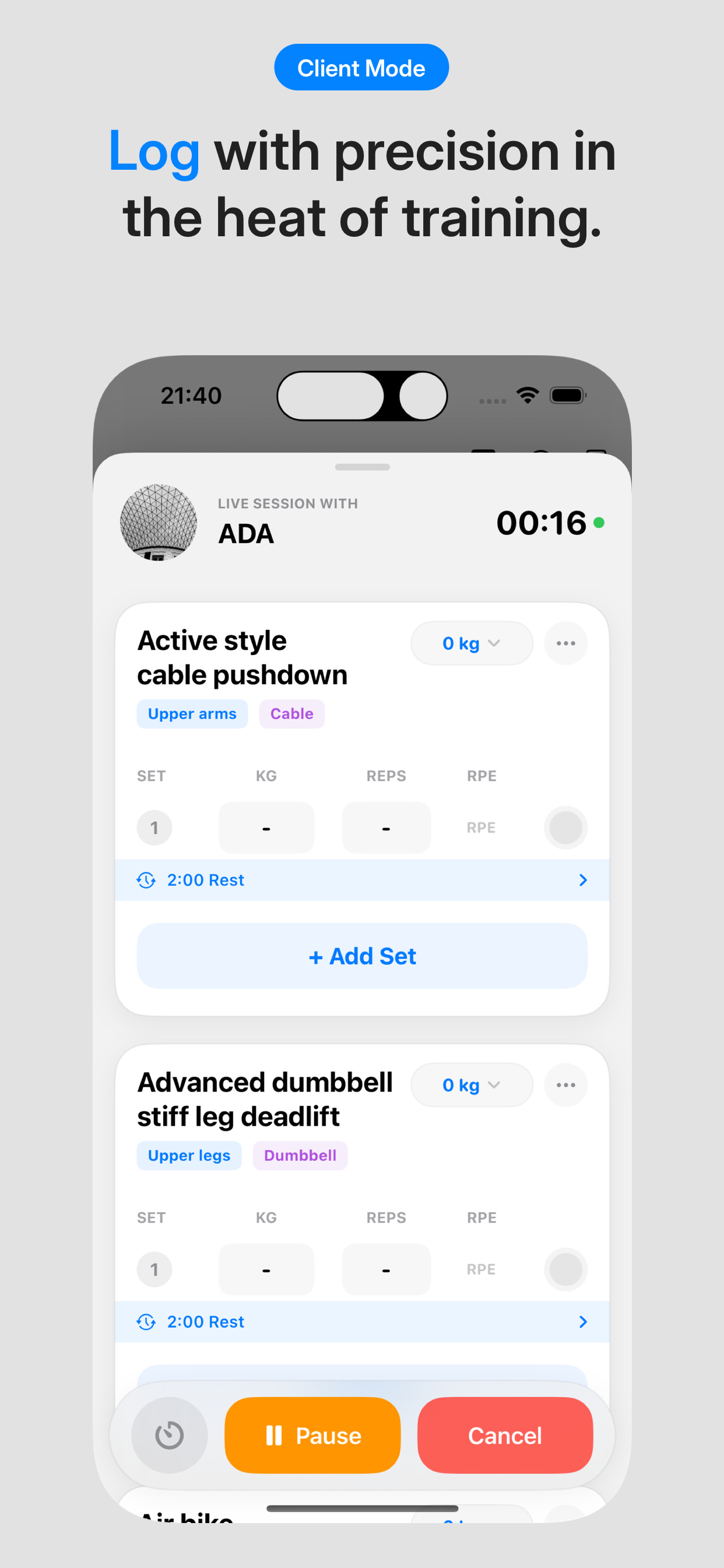
The live workouts let clients track sets in real time during sessions with the reps, RPE, weights, timer and controls like pause and cancel.
The application is now available to download on iPhone.
https://apps.apple.com/au/app/ziro-fit-connect-train/id6758610548
Other Features
Additional features include appearance like dark/ light mode and multiple languages. We have introduced Polish for the moment. English, German, Spanish and French are in upcoming version. Explore menu also have an interactive map, not just the list and grid view. Trainers also have profile customisation with their photos, training methodology, sessions, packages, testimonials and reviews.
Upcoming update
In the next upcoming update, we are working to fully integrate the online payment system with Stripe. This addition will enable trainers to handle transactions directly in the app, streamline their earnings, track them on their professional dashboard, and reduce the friction for client bookings. While clients can enjoy instant checkout during trainer discovery. Clients can purchase multi session bundles up front during the discovery phase locking in commitment and providing trainers with predictable revenue streams.
Lastly, we also plan to introduce native Android application in coming months. This will mirror the smooth UX of the iOS version. Live logging, calendar tracking and dual mode. While resolving cross-platform gaps. And reaching vast Android user base.